🧠 AI Quiz
Think you really understand Artificial Intelligence?
Test yourself and see how well you know the world of AI.
Answer AI-related questions, compete with other users, and prove that
you’re among the best when it comes to AI knowledge.
Reach the top of our leaderboard.

















Nano Banana 2
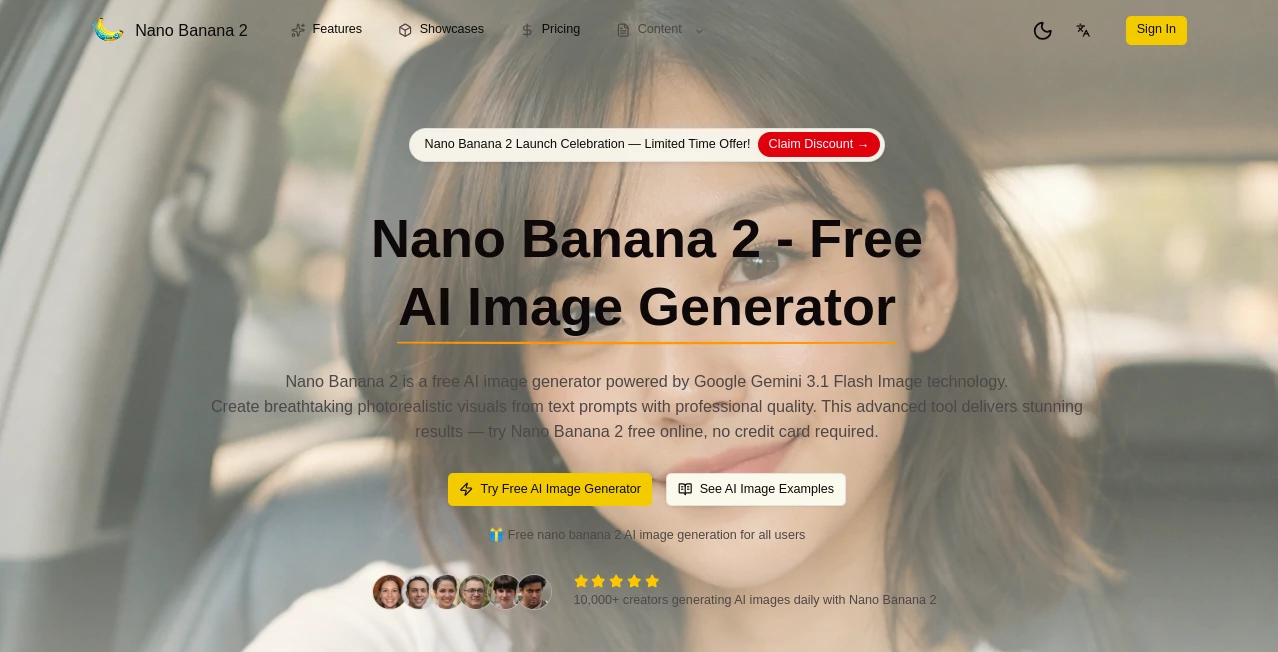
What is Nano Banana 2?
There's a special kind of rush when you type a wild idea—“neon-drenched cyberpunk alley at 3 a.m., lone figure in a glowing trench coat, rain-slicked pavement reflecting holographic ads”—and less than ten seconds later a crisp 1024×1024 image stares back at you, already looking like it belongs on a magazine cover or album art. This tool delivers that speed without sacrificing detail or coherence. I’ve lost count of how many times I’ve shown a generation to someone and heard “Wait, that took HOW long?” because the quality simply doesn’t match the time it took. It’s become my go-to when I need something striking right now, not next week.
Introduction
Most AI image generators still force you to choose between speed and quality—you either get fast low-res previews or wait ages for something usable. This one refuses that compromise. It’s built from the ground up to produce high-resolution, coherent images in seconds, not minutes. The model understands complex prompts, keeps characters consistent when you ask for multiple shots, handles text in images cleanly, and rarely falls into the usual traps of extra limbs or melting faces. For creators who live on tight deadlines—social media artists, marketers, concept illustrators, indie game devs—it’s less a nice-to-have and more a daily essential. The name might be playful, but the output is seriously professional.
Key Features
User Interface
The workspace is deliberately distraction-free: wide prompt box, optional negative prompt field, style and aspect-ratio presets, a single “Generate” button that dominates the screen. Generation previews appear almost instantly so you can stop bad runs early. No overwhelming sliders or nested menus—just enough controls to guide without slowing you down. It feels like the interface was designed by someone who hates waiting as much as you do.
Accuracy & Performance
Speed is the headline, but the quality holds up under scrutiny. Complex scenes with multiple subjects, intricate lighting, reflections, and text stay coherent. Faces remain recognizable across poses and angles. Text rendering (logos, signs, book covers) is legible and stylistically appropriate far more often than with most models. Generations typically finish in 4–12 seconds even at 1024×1024, and the model rarely produces obvious artifacts. That combination—blazing fast + surprisingly clean—is what keeps people hooked.
Capabilities
Text-to-image at up to 1024×1024 native resolution (with seamless upscaling options), strong multi-subject understanding, excellent text-in-image rendering, character consistency across generations, style transfer from reference images, negative prompting that actually works, and support for portrait, landscape, square, and custom ratios. It handles photorealism, anime, oil painting, cyberpunk, retro-futurism, and more without losing coherence. The model is particularly good at atmospheric scenes—fog, neon glow, dramatic lighting—making it a favorite for concept art and social media visuals.
Security & Privacy
Images are processed ephemerally—no permanent storage of your prompts or outputs unless you explicitly save them. No mandatory account for basic use, so your ideas never get tied to a profile unless you want history or batch features. For creators working with client concepts or sensitive designs, that zero-retention approach is a real comfort.
Use Cases
A freelance illustrator generates ten concept variations for a book cover pitch in under five minutes and lands the job because the client can “see” the vision instantly. A social media manager creates daily eye-catching posts with consistent character style, boosting engagement without hiring an artist. An indie game dev prototypes environment concepts and UI mockups at production-ready resolution, saving weeks of iteration time. A musician needs quick, striking album art that matches the track’s mood—done in seconds instead of commissioning and waiting. Wherever fast, high-quality visuals are the bottleneck, this tool quietly removes it.
Pros and Cons
Pros:
- Generation speed that actually feels instant—4–12 seconds for high-res images.
- Remarkably clean output with minimal artifacts, even on complex prompts.
- Excellent text rendering and character consistency—rare at this speed.
- Free tier is generous enough for serious testing and light production.
- Results look polished enough for client work or social without heavy post-processing.
Cons:
- Very long or extremely detailed prompts can occasionally push coherence limits (same as most models).
- Unlimited generations and priority queue require paid plan.
- No built-in upscaling beyond 1024×1024 native (though external upscalers pair well).
Pricing Plans
Free daily credits let you experience the speed and quality without any commitment—enough for several high-res generations per day. Paid plans remove limits, unlock priority queue during peak times, higher daily quotas, and commercial-use rights without attribution. Pricing stays accessible—many creators say one month covers what they used to spend on stock art or freelance illustrators for a single campaign.
How to Use Normal Map Generator
Head to the generator page, write a clear, descriptive prompt (the more specific, the better—lighting, mood, composition all help). Optionally upload a reference image for stronger style or character grounding. Choose aspect ratio and any preset style if desired. Hit generate—watch the preview appear in seconds. Tweak prompt wording or reference strength if needed, then download in high resolution. For variations, use the “Generate more like this” feature or adjust parameters. The loop is fast enough to explore dozens of ideas in one sitting.
Comparison with Similar Tools
Many fast generators sacrifice detail or coherence for speed; this one keeps both. Where others produce obvious artifacts or struggle with text, faces, or multi-subject scenes, the output here feels more deliberate and production-ready. The hybrid image+text guidance and strong text rendering give creators more precise control than most speed-focused models. It sits in a sweet spot: fast enough for rapid iteration, polished enough for final assets.
Conclusion
Speed without quality is useless; quality without speed is frustrating. This tool finally delivers both in a way that feels almost unfair to older generators. It turns “I have an idea” into “here’s a beautiful, usable visual” in seconds, not hours. For creators who live on tight deadlines, need visual momentum, or simply love seeing ideas come alive quickly, it’s hard to overstate how liberating that is. The future of visual creation is looking faster, sharper, and a lot more fun.
Frequently Asked Questions (FAQ)
How fast are generations really?
4–12 seconds for 1024×1024 images in most cases—fast enough to feel instant.
Do I need a reference image?
Not required—text-only works great—but adding one dramatically improves consistency and style match.
What resolutions can I get?
Native 1024×1024; paid plans offer higher-res upscaling options.
Can I use the images commercially?
Yes—paid plans include full commercial rights without attribution.
Is there a watermark on free generations?
Small watermark on free tier; paid removes it completely.
AI Text to Image , AI Photo & Image Generator , AI Image to Image , AI Design Generator .
These classifications represent its core capabilities and areas of application. For related tools, explore the linked categories above.
Nano Banana 2 details
Pricing
- Free
Apps
- Web Tools
Categories

Nano Banana 2 Alternatives Product

SAM 3D
chibi art
Generador De…

Consistent C…

SeeDream 4.5
grok imagine…

Gpt Image 1.5

Mage

insMind