🧠 AI Quiz
Think you really understand Artificial Intelligence?
Test yourself and see how well you know the world of AI.
Answer AI-related questions, compete with other users, and prove that
you’re among the best when it comes to AI knowledge.
Reach the top of our leaderboard.














Nano Banana 2
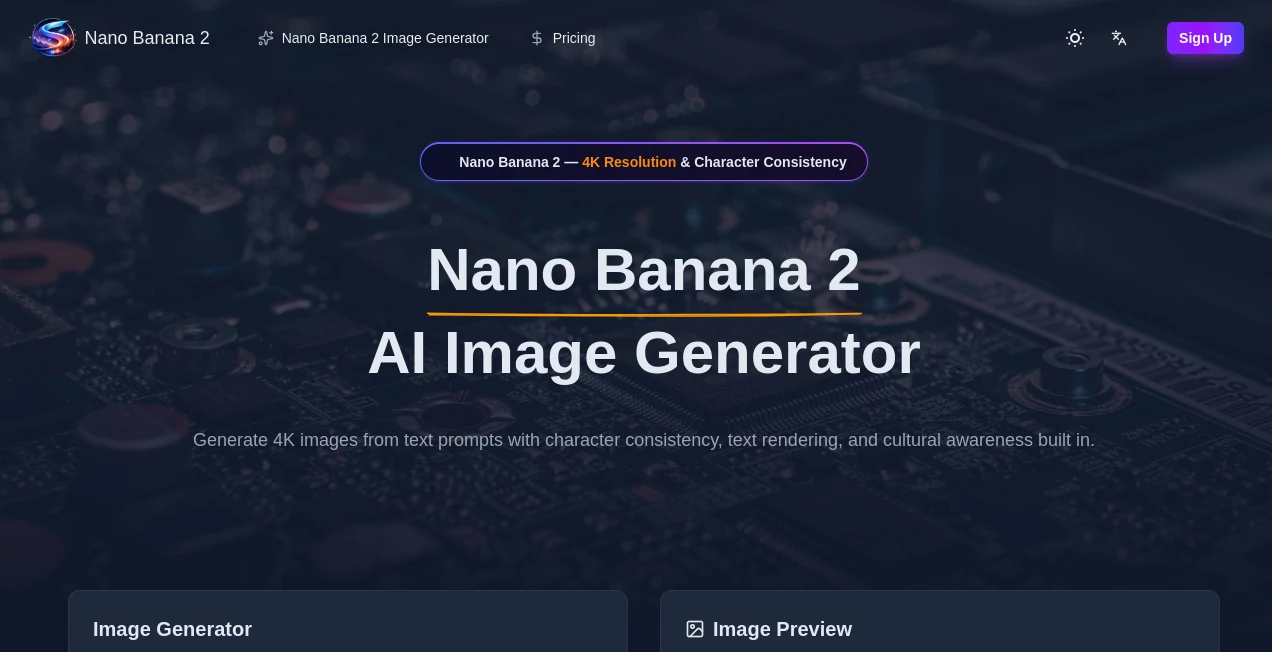
What is Nano Banana 2?
There's something quietly satisfying about typing a half-formed idea—“a lone fox sitting on a moss-covered rooftop under a neon-pink moon”—and watching a vivid, coherent scene appear almost instantly. The colors feel deliberate, the lighting has mood, and the composition pulls you in like a real painting or photograph. This tool has that rare ability to turn vague thoughts into visuals that actually look worth keeping. I've sent generated pieces to friends as quick birthday cards or story prompts, and the reaction is always the same: "Wait, you made that just now?" It captures imagination without smothering it in generic AI clichés.
Introduction
Most text-to-image tools still feel like a lottery: sometimes you get lucky, most times you get weird hands or mismatched lighting. This one consistently delivers results that feel thoughtful—balanced composition, natural depth, and a sense of artistic intent. It’s fast, it’s flexible, and it handles both simple prompts and longer, more descriptive ones without falling apart. For writers needing cover art, designers looking for quick mood boards, marketers wanting fresh visuals, or anyone who just likes seeing ideas come to life, it’s become a go-to. The quality-to-speed ratio is addictive; you can iterate five times in the time it takes other tools to finish one.
Key Features
User Interface
The layout is clean and focused: a wide prompt box, optional style and aspect-ratio selectors, a strength slider if you want to blend with a reference image, and one prominent generate button. Previews load quickly so you stay in flow. No login required to start, no aggressive upsell pop-ups. Everything feels designed by someone who actually uses the tool themselves—minimal friction between idea and image.
Accuracy & Performance
It reads prompts with surprising nuance—understands spatial relationships, lighting direction, emotional tone, and stylistic cues without needing paragraph-long workarounds. Faces stay consistent when you ask for multiple shots of the same character; hands and anatomy rarely collapse. Generations finish in 5–20 seconds depending on complexity, and the model rarely produces the usual AI telltales (extra fingers, floating objects, impossible shadows). The reliability lets you trust the output and focus on refining the vision instead of fighting artifacts.
Capabilities
Text-to-image with strong prompt understanding, image-to-image for style transfer or refinement, multiple artistic styles (photoreal, painterly, anime, retro, concept art, etc.), adjustable aspect ratios, detail strength control, negative prompt support, and high-resolution upscaling. It handles complex scenes with multiple subjects, specific lighting, and atmospheric effects remarkably well. Outputs are sharp at 1024×1024 and up, suitable for social media, prints, album covers, book illustrations, or game concept art.
Security & Privacy
Images are processed ephemerally—nothing is stored on servers after you download unless you explicitly save to an account. No mandatory login for basic use, so your prompts and outputs stay private. For creators working on client concepts, personal projects, or brand-sensitive visuals, that low-retention approach provides real peace of mind.
Use Cases
A fantasy author generates cover concepts for their next novel and picks the one that best captures the mood they’ve been chasing. A small Etsy shop owner creates unique product photoshoots without hiring a photographer. A YouTuber makes consistent thumbnail art for their channel that actually stands out. A game dev prototypes character designs and environments in minutes instead of days. A social media creator drops daily illustrated posts that feel hand-crafted rather than filter-slapped. Wherever visual ideas need to move fast and look good, this tool quietly saves hours.
Pros and Cons
Pros:
- Results consistently look thoughtful and artistic—not generic AI soup.
- Fast generation keeps creative flow alive; iterate without waiting.
- Strong understanding of complex prompts and multi-subject scenes.
- High-res outputs ready for real use—social, print, or presentation.
- Free tier is generous—no hard paywall to see serious quality.
Cons:
- Very abstract or contradictory prompts can occasionally confuse it (same as most models).
- Unlimited generations and priority queue require paid plan.
- Batch processing sits behind higher tiers for heavy users.
Pricing Plans
Free daily credits let anyone experience the quality without commitment—enough for several strong generations per day. Paid plans unlock unlimited generations, faster queue times, higher resolutions, and advanced features like batch mode and priority processing. Pricing stays reasonable for the jump in output fidelity; many creators say one month covers what they used to spend on stock art or freelance illustrators for a project.
How to Use Image Enhancer
Type a clear, descriptive prompt (the more specific about mood, lighting, composition, and style, the better). Optionally upload a reference image for stronger style or character consistency. Choose aspect ratio (portrait, landscape, square, etc.) and any style presets if desired. Hit generate. Use the before/after slider or zoom to check details. Tweak the prompt or reference strength if needed, then download in high resolution. For multiple variations, generate a few at once and pick your favorite. The loop is fast enough to refine several versions in one sitting.
Comparison with Similar Tools
Many text-to-image models still produce visible artifacts, inconsistent anatomy, or generic compositions. This one prioritizes artistic coherence, natural lighting, and prompt fidelity, often delivering results that feel closer to human-created work. Speed, quality, and natural-looking outputs put it ahead of most free and even some paid competitors—especially for creators who want visuals that feel intentional rather than algorithmic.
Conclusion
Visual ideas shouldn’t stay trapped in your head because you lack time, skill, or budget. This tool quietly removes those barriers, turning words into images that look worth sharing, printing, or building on. It doesn’t replace artists—it gives more people the ability to think visually and see their thoughts rendered beautifully. When the gap between imagination and creation shrinks to seconds, something fundamental shifts. For anyone who dreams in pictures, that shift is worth experiencing.
Frequently Asked Questions (FAQ)
How many free images can I generate?
Several high-quality ones per day—enough to experiment and create a small set of assets.
Do I need a reference image?
No—text-only works very well—but adding one dramatically improves style and character consistency.
What resolutions are available?
Up to high-res on paid plans; free tier offers strong preview-quality.
Can I use the images commercially?
Yes—paid plans include full commercial rights.
Is there a watermark on free generations?
Small watermark on free clips; paid removes it completely.
AI Text to Image , AI Photo & Image Generator , AI Art Generator , AI Design Generator .
These classifications represent its core capabilities and areas of application. For related tools, explore the linked categories above.
Nano Banana 2 details
Pricing
- Free
Apps
- Web Tools
Categories

Nano Banana 2 Alternatives Product
meta ai image
gempix2
Z-Image Free
PaperYak
Nano Banana …
GEMPIX2
NanoAI

Banana Promp…
chibi genera…