
🧠 AI Quiz
Think you really understand Artificial Intelligence?
Test yourself and see how well you know the world of AI.
Answer AI-related questions, compete with other users, and prove that
you’re among the best when it comes to AI knowledge.
Reach the top of our leaderboard.


















Seedream 5.0
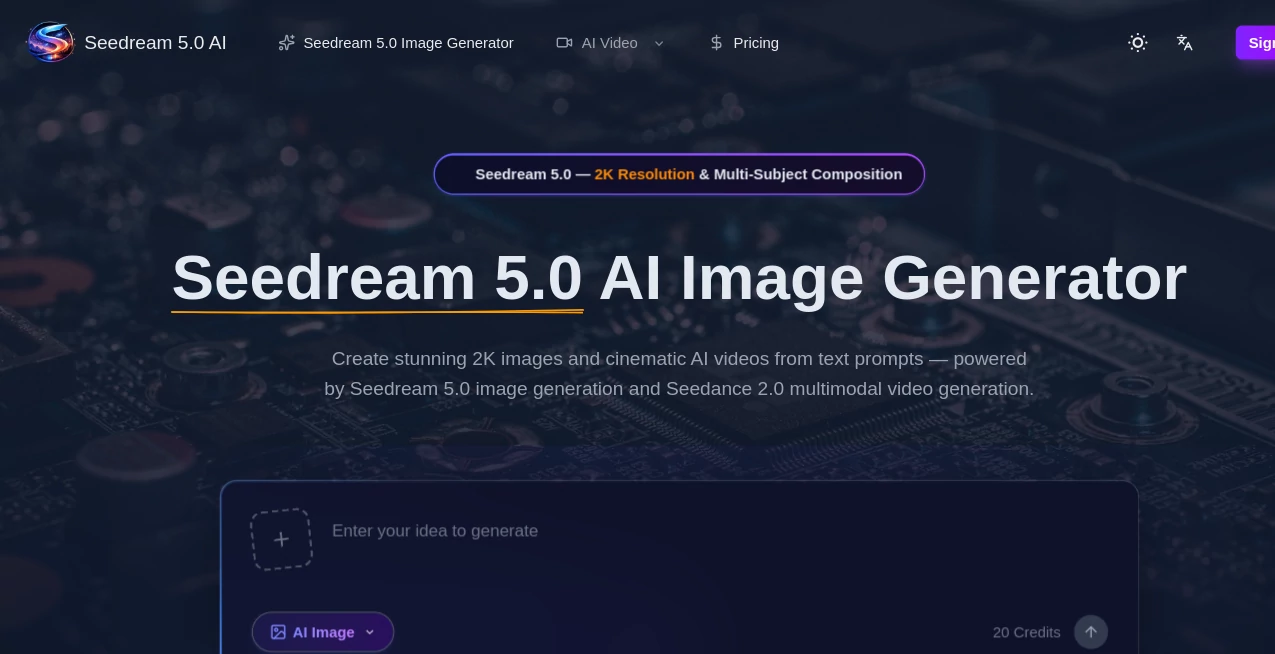
What is Seedream 5.0?
There’s a special kind of rush when you type a half-formed idea—“a lone samurai standing on a cherry-blossom cliff at dusk, cinematic lighting, ultra-detailed”—and seconds later an image appears that actually feels like it belongs in a gallery or a film still. The colors are rich, the composition thoughtful, the details sharp without looking artificial. I’ve watched artists who normally spend hours refining concepts stare in quiet disbelief because the first output was already closer to their vision than most of their own early sketches. It’s not just fast; it understands mood, atmosphere, and storytelling in a way that makes creation feel almost collaborative.
Introduction
Text-to-image has come a long way, but many tools still produce either generic prettiness or chaotic over-detail. This one quietly changed the game by focusing on artistic coherence and emotional tone rather than sheer quantity of pixels. Whether you’re chasing photorealism, painterly styles, anime, surrealism, or something completely personal, it delivers results that feel intentionally crafted. Early users started sharing side-by-sides—rough prompt vs final image—and the jump in quality kept surprising even seasoned digital artists. For anyone who thinks visually but hates the grind of manual iteration, it’s become less a tool and more a creative partner that actually gets what you’re trying to say.
Key Features
User Interface
The workspace is calm and distraction-free. A wide prompt box sits front and center, optional style and aspect-ratio selectors below, a seed control for reproducibility, and one prominent generate button. Negative prompt field and detail sliders are there if you want them, but never in your face. Previews load quickly enough that you stay in flow rather than waiting. It’s built so you spend time dreaming up ideas, not wrestling software.
Accuracy & Performance
It reads prompts with surprising nuance—understands spatial relationships, lighting direction, emotional tone, and artistic references without needing paragraph-long explanations. Faces remain consistent when you ask for the same character across generations. Composition rarely feels random; it composes like someone who studied framing. Generation is fast (often 8–25 seconds per image), and higher steps/refiner passes produce gallery-quality results without excessive wait times. The model rarely falls into the usual traps of extra limbs, fused faces, or impossible anatomy unless the prompt itself is contradictory.
Capabilities
Text-to-image with exceptional prompt adherence, multiple artistic styles (photoreal, cinematic, oil painting, anime, cyberpunk, fantasy, minimalist, etc.), aspect-ratio control, high-resolution upscaling, detail enhancer/refiner pass, negative prompt support, seed locking for reproducibility, and batch generation. It handles complex scenes with multiple subjects, specific lighting (volumetric god rays, rim light, golden hour), and stylistic references (“in the style of Greg Rutkowski / Alphonse Mucha / Studio Ghibli”). Outputs are crisp at 1024×1024 and above, suitable for prints, concept art, social media, or game assets.
Security & Privacy
Images are generated ephemerally—processed and discarded after download unless you explicitly save them. No mandatory account for basic use, so your prompts and creations aren’t tied to a profile unless you choose to create one for history or favorites. For personal art, client concepts, or brand-sensitive work, that low-retention approach feels right.
Use Cases
An indie game dev generates concept art for characters and environments in minutes instead of days, iterating faster than ever. A book cover designer tests multiple moody interpretations of the same scene description and lands on the perfect one before hiring an illustrator. A social media creator produces consistent character portraits across posts, building audience recognition without daily drawing sessions. A marketer creates striking campaign visuals that match brand aesthetic perfectly. Wherever visual storytelling needs to happen quickly and beautifully, it quietly becomes indispensable.
Pros and Cons
Pros:
- Exceptional prompt understanding—gets mood, composition, and style without hand-holding.
- Artistic coherence and emotional tone far above most competitors.
- Fast generation that supports real creative iteration.
- High-res outputs with clean upscaling and detail pass.
- Generous free tier lets you experience the quality before paying.
Cons:
- Very abstract or contradictory prompts can still lead to unexpected results.
- Batch and unlimited use require paid access.
- Some niche styles (e.g., ultra-minimalist line art) may need extra prompt tuning.
Pricing Plans
A meaningful free daily quota lets anyone test the model’s quality without commitment—no card required to start. Paid plans unlock higher resolutions, faster queues, unlimited generations, priority access during peak times, and advanced controls (more steps, refiner strength, etc.). Pricing feels fair for the artistic leap it provides; many creators say one month replaces what they used to spend on stock art or freelance illustrators for a single project.
How to Use SeaDream 5
Start with a vivid, concise prompt (“ethereal forest spirit, bioluminescent wings, moonlight filtering through ancient trees, cinematic lighting, ultra-detailed”). Optionally add style references (“in the style of Alphonse Mucha / James Jean”). Choose aspect ratio (portrait, landscape, square). Adjust quality level or steps if desired. Hit generate. Watch the preview—refine wording, add negative prompt (“blurry, deformed, extra limbs”), or change seed for variations. Download when you love it. The loop is fast enough to explore several directions in one session.
Comparison with Similar Tools
Many models produce technically impressive images but lack emotional weight or compositional intelligence. This one prioritizes artistic intent and narrative feel, often delivering pieces that look thoughtfully composed rather than algorithmically assembled. The balance of speed, quality, and prompt adherence puts it ahead of most contemporaries—especially for creators who care about mood and story over sheer detail density.
Conclusion
Art direction should be about vision, not endless technical battles. Tools like this quietly shift the balance back toward imagination. They don’t replace artists—they give more people the ability to see their ideas rendered with beauty and coherence. When the distance between “I wish it looked like this” and “here it is” shrinks to seconds, something fundamental changes. For anyone who dreams in pictures, that change is worth experiencing again and again.
Frequently Asked Questions (FAQ)
How detailed should my prompt be?
Clear and vivid works best—describe scene, mood, lighting, composition, and style. More specifics usually = better results.
Do I need a reference image?
No—text-only is strong—but adding one dramatically improves consistency for characters or specific looks.
What resolutions can I generate?
Up to 1024×1024 natively; higher via upscaler on paid plans.
Can I use the art commercially?
Yes—paid plans include full commercial rights.
Is there a watermark on free images?
Small watermark on free generations; paid removes it completely.
AI Text to Image , AI Image to Image , AI Art Generator , AI Design Generator .
These classifications represent its core capabilities and areas of application. For related tools, explore the linked categories above.
Seedream 5.0 details
Pricing
- Free
Apps
- Web Tools
Categories

Seedream 5.0 Alternatives Product

Undertale Te…
Nano Banana …
Z Image
Leonardo.ai
string art g…

grok imagine…
Z-Image Gene…

nana banana …

AI Slop Canv…