

















Gemini Omni Video
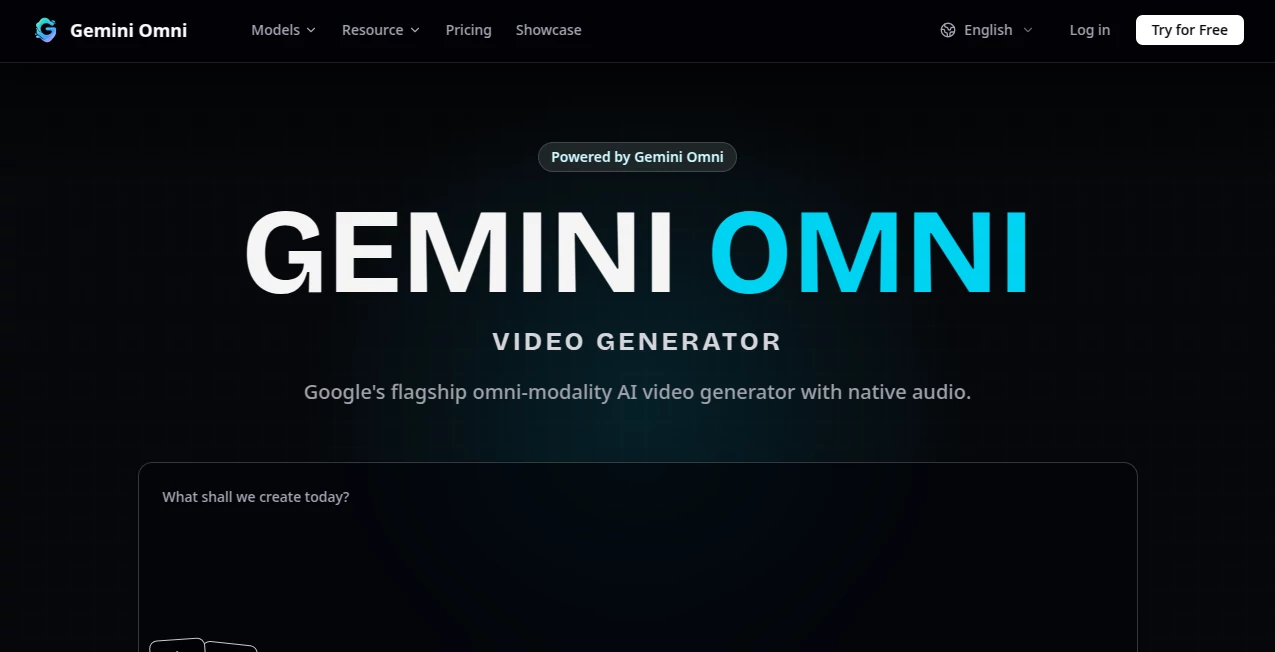
What is Gemini Omni Video?
There’s something genuinely exciting about describing a scene in plain words and watching it come to life with natural motion, consistent characters, and thoughtful lighting. This tool makes that feel almost effortless. You can start with text, drop in reference images or clips, guide the camera, add sound direction, and refine everything through simple conversation. I’ve seen creators go from a rough idea to a polished short clip in minutes, the kind of result that used to take hours or a small team. It’s the first time many people feel like they’re actually directing rather than just hoping the AI gets it right.
Introduction
Most AI video tools still feel experimental—great for quick clips but often inconsistent or hard to control. Gemini Omni Video changes that by combining powerful generation with real creative direction. It understands multimodal inputs (text, images, video, audio) and lets you steer the outcome through natural conversation. Whether you’re building social media content, prototyping film ideas, creating product ads, or visualizing stories, it respects your vision while handling the heavy technical work. The result is video that feels cinematic and coherent, not random or robotic. For anyone who thinks visually but doesn’t have a full production setup, it’s a genuine breakthrough.
Key Features
User Interface
The workspace is clean and intuitive. A prominent prompt area lets you describe scenes naturally, while reference uploads (images, video clips, audio) sit nearby for easy guidance. You can chat iteratively to refine—“make the lighting warmer” or “slow the camera push”—and see updates without starting over. Previews load reasonably fast, and the flow supports both quick experiments and more deliberate storytelling. It never feels overwhelming; instead, it invites you to direct like you would with a real collaborator.
Accuracy & Performance
Character consistency stands out strongly—faces, clothing, and style hold across shots far better than most current tools. Motion feels natural with believable physics, and the model respects your references and instructions without drifting off-prompt. Generation speed is practical for real workflows, and outputs maintain high coherence even in complex scenes. The reliability means fewer frustrating reruns and more time spent creating.
Capabilities
You get text-to-video, image-to-video, video-to-video editing, multimodal references (image + video + audio), conversational refinement, start/end frame control, native audio sync, and support for multiple aspect ratios. It excels at short cinematic clips, product visuals, storytelling sequences, and iterative editing through chat. The unified approach means you can build and refine entire short-form pieces in one place rather than stitching separate tools together.
Security & Privacy
Your prompts, references, and generated clips are handled responsibly with standard protections. The platform focuses on delivering great output without unnecessary data retention for casual use. For creators working with original ideas or client material, this balanced approach provides confidence to experiment freely.
Use Cases
A small brand creates polished product ads with consistent characters and natural motion. Filmmakers prototype key scenes to test tone and pacing before full production. Social creators build Reels with synced audio and strong visual storytelling. Educators produce engaging short explainers or animated lessons. Musicians visualize tracks with clips that match the song’s emotional arc. Wherever you need fast, controllable video that looks intentional, it becomes an invaluable part of the process.
Pros and Cons
Pros:
- Strong consistency in characters, style, and motion across shots.
- Conversational editing makes refinement feel natural and fast.
- Multimodal inputs (text + image + video + audio) give real creative control.
- Cinematic quality that feels directed rather than random.
Cons:
- Clip lengths are best suited for short-form content (typically 5–10 seconds).
- Very complex or highly specific scenes may need iterative prompting.
- Full advanced features and higher limits require paid access.
Pricing Plans
Free access lets you explore the quality and workflow with daily credits. Paid plans unlock higher resolutions, longer clips, faster generation, priority during busy times, and unlimited use. The pricing feels reasonable for the creative leap it provides—many users find it pays for itself quickly through time saved and better output quality.
How to Use Gemini Omni Video
Start by typing a clear scene description in the prompt box. Add reference images, video clips, or audio for stronger guidance. Use start/end frames if you want specific structure. Generate the clip, then refine through simple chat instructions (“make the camera slower” or “add warm sunset lighting”). Preview, iterate, and export when it feels right. For longer stories, build sequences shot by shot. The process rewards clear direction while remaining approachable for quick ideas.
Comparison with Similar Tools
Many AI video generators focus on raw creation but struggle with consistency and control. This one stands out by combining strong base quality with practical conversational editing and multimodal references. It feels more like working with a responsive creative partner than rolling the dice on a generator. The balance of quality, speed, and control makes it especially appealing for creators who need reliable, directed results rather than lucky ones.
Conclusion
Creating video that feels intentional no longer requires a big budget or endless technical work. This tool brings advanced capabilities into a workflow that actual creators can use daily. It respects your ideas while handling the heavy lifting, resulting in footage you can proudly share. Whether you’re building a brand, telling stories, or prototyping concepts, it opens new possibilities with confidence and speed. For anyone serious about visual content, it’s a tool worth experiencing.
Frequently Asked Questions (FAQ)
How long are the generated clips?
Typically 5–10 seconds per generation, with multi-shot workflows for longer narratives.
Do I need reference files?
Not required—text-only works well—but references dramatically improve consistency and control.
Can I edit videos conversationally?
Yes—chat-based refinement lets you adjust lighting, motion, style, and more after the first generation.
What resolutions are available?
Up to 1080p with strong quality across supported formats.
Is it good for commercial use?
Paid plans support commercial workflows with the necessary rights and higher limits.
AI Animated Video , AI Image to Video , AI Video Generator , AI Text to Video .
These classifications represent its core capabilities and areas of application. For related tools, explore the linked categories above.
Gemini Omni Video details
Pricing
- Free
Apps
- Web App
Categories

Gemini Omni Video Alternatives Product

Happyhorse 1…

Nano Banana …

Seedance AI
Seedance
seeddance
Video to Pro…
Kling 3.0

Seedance 2.0…
MiniMax H3