


















Bg Remover
What is Bg Remover?
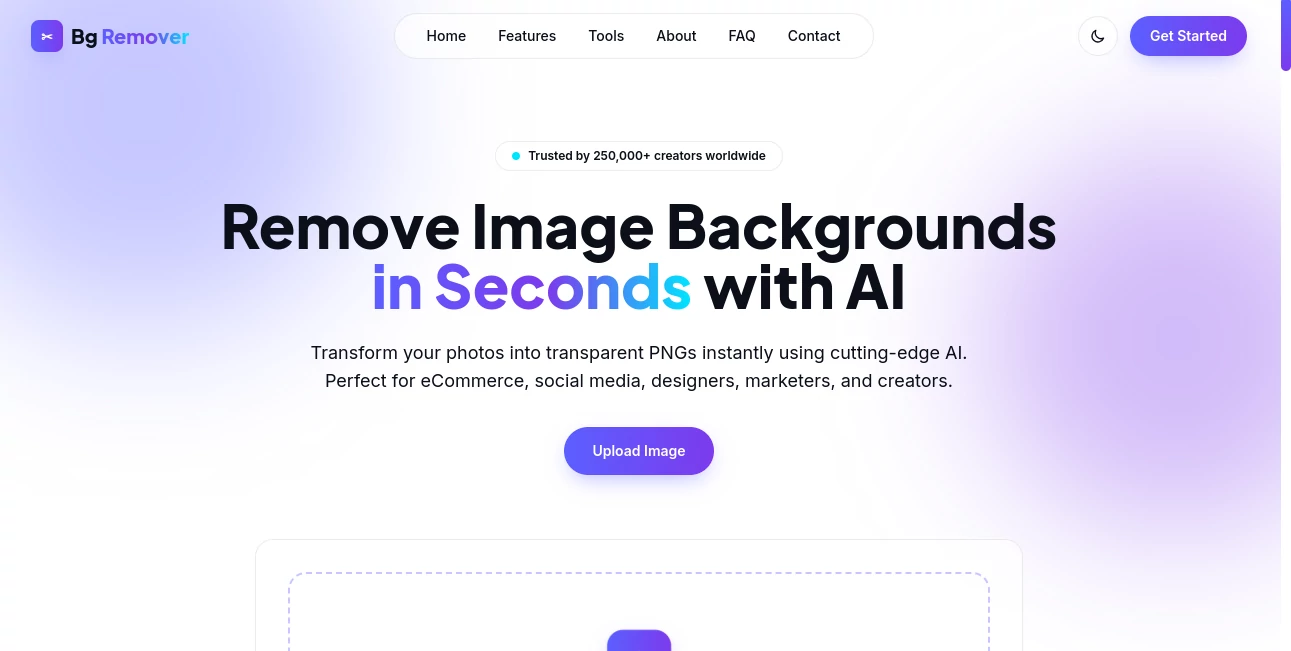
Bg Remover is an AI-powered image background removal tool designed to turn ordinary photos into clean, transparent PNGs with very little effort. The service is aimed at eCommerce sellers, designers, marketers, social media creators, and anyone who regularly needs polished cutouts without opening complicated editing software.
The experience is refreshingly straightforward: choose an image, let the AI detect the subject and background, preview the result, and export the transparent image. PNG, JPG, JPEG, and WEBP files are supported, with uploads of up to 20MB.
What makes the tool particularly appealing is its focus on practical results rather than a long list of settings. For someone preparing a product image for an online store or creating a social media graphic, that simplicity can save a surprising amount of time.
Key Features
- AI-powered automatic background removal
- Support for PNG, JPG, JPEG, and WEBP images
- Maximum file size of 20MB
- Transparent PNG export
- Live before-and-after preview
- Fine edge and hair detail detection
- Browser-based workflow with no account required
- Ultra-HD output for further design work
User Interface
The interface keeps the main task front and center. Users can drag and drop an image or select one directly from their device, making the first interaction almost self-explanatory. The live preview is also useful because it lets you inspect the cutout before committing to the final download.
There is no need to navigate through a crowded editing workspace just to remove a background. That makes the experience especially convenient for quick production tasks where speed matters more than extensive manual editing controls.
Accuracy & Performance
The service is built around detailed subject detection, with particular attention to fine edges and hair. Its website highlights hair-level edge detection and reduced haloing, two areas where automatic background removal tools can often struggle.
In practical use, results will naturally depend on the original photograph. Clear subjects with reasonable contrast against their surroundings are generally easier for an automated system to isolate than transparent objects, extremely busy scenes, or subjects that blend heavily into the background. Still, the automated approach removes much of the tedious masking work normally associated with this task.
Capabilities
The core capability is automatic separation of a foreground subject from its background. Once processing is complete, the result can be exported as a transparent PNG and used in other creative workflows.
This makes the tool useful beyond simple photo editing. A transparent product cutout can be placed into an online store listing, a portrait can be added to a promotional graphic, and an isolated object can become part of a presentation, advertisement, thumbnail, or social media design.
Security & Privacy
The workflow is designed to operate directly in the browser, which is a useful characteristic for people who prefer not to create an account for a simple image-editing task. The site also states that no account is needed to use the tool.
As with any online image-processing service, users working with particularly sensitive or confidential material should review the provider's privacy and terms pages before processing important files.
Use Cases
For eCommerce, removing a distracting background can make product photography look considerably cleaner and more consistent. Sellers can isolate shoes, clothing, electronics, accessories, packaging, or other products before placing them on a store template.
Social media creators can also use transparent cutouts when designing posts, thumbnails, advertisements, and promotional graphics. Instead of spending several minutes manually tracing around a person or object, the automated workflow provides a ready-to-edit starting point.
Designers may find it useful for preparing assets for banners, presentations, marketing campaigns, and digital compositions. It is also handy for everyday jobs such as creating a clean profile image or separating an object from an unsuitable background.
Pros and Cons
Pros:
- Very simple background-removal workflow
- AI handles the main masking task automatically
- Supports several common image formats
- 20MB maximum upload size
- Live before-and-after comparison
- Transparent PNG output
- No account is required to start
- Designed with creators and commercial image workflows in mind
Cons:
- Highly complex images can still require manual refinement in a dedicated editor
- Automatic results may vary depending on lighting, contrast, and subject complexity
- Users looking for advanced photo-manipulation features may need a broader editing application
Pricing Plans
The website presents the service as free to try and does not require an account for the core workflow. The public-facing page does not provide a detailed multi-tier pricing table, so users should check the current service information for any changes to usage limits or premium features.
For occasional background removal, the straightforward access model is particularly attractive because there is no need to learn a complicated subscription-based editor simply to create a transparent image.
How to Use Bg Remover
Start by selecting an image from your device or dragging it into the upload area. The service accepts PNG, JPG, JPEG, and WEBP files up to 20MB.
Once the image is loaded, the AI analyzes the picture and identifies the foreground subject. The result can then be reviewed using the built-in before-and-after preview.
If the cutout looks right, download the transparent PNG and continue editing it in your preferred design or publishing software. The entire process is designed around three simple actions: upload, remove, and download.
Comparison with Similar Tools
Traditional image editors offer considerably more control, but that flexibility comes with a steeper learning curve. Manual selection, masking, feathering, and edge refinement can take time, particularly when the goal is simply to create a transparent cutout.
Dedicated background-removal services take the opposite approach. They automate the repetitive selection work and let the user concentrate on the finished image. This makes an AI-first tool such as this particularly appealing for people who remove backgrounds regularly but do not need a full professional editing suite.
The biggest advantage is therefore not necessarily having more editing features than every alternative. It is the ability to get from an original photograph to a usable transparent PNG with very little friction.
Conclusion
Background removal is one of those editing jobs that can consume far more time than it deserves. A good automated solution turns that repetitive task into a quick step in the creative process, and this tool does exactly that with a focused interface and an emphasis on clean subject separation.
Its combination of automatic detection, live preview, common image-format support, and transparent PNG export makes it a practical choice for product photography, marketing graphics, social media content, and everyday design work. If your regular workflow includes isolating people, products, or objects from their surroundings, it is worth keeping in your toolbox.
Frequently Asked Questions (FAQ)
What does the tool do?
It uses AI to automatically remove the background from an image and produce a transparent PNG containing the isolated subject.
Which image formats are supported?
PNG, JPG, JPEG, and WEBP files are supported, with a maximum file size of 20MB.
Can I preview the result before downloading?
Yes. A live before-and-after comparison is provided so you can inspect the background removal result before downloading it.
Is an account required?
The website states that its browser-based tools can be used without an account.
Is it suitable for product images?
Yes. Product photography is one of the main use cases highlighted by the service, particularly when a clean isolated product is needed for an online store, advertisement, or marketing design.
Can it remove detailed backgrounds around hair?
The service specifically highlights fine hair-level edge detection. However, extremely complicated images can still challenge automated background-removal systems, so results should be reviewed before publication.
What format is the final image?
The tool is designed to export the result as a transparent PNG, making it easy to place the isolated subject over a new background.
AI Photo & Image Generator , Photo & Image Editor , AI Background Remover , AI Photography .
These classifications represent its core capabilities and areas of application. For related tools, explore the linked categories above.
Bg Remover details
Pricing
- Free
Apps
- Web App
Categories

Bg Remover Alternatives Product

AI Hairstyle…

Picture to L…

Stylize Image

SurgePix

AI Raphael

Retro Image …

Image Text E…

Image to Ima…
GPT Image 2