

















Seedream 5.0 Pro
What is Seedream 5.0 Pro?
Seedream 5 Pro is a powerful AI image generation platform built for creators who want professional-quality visuals without dealing with complicated software. Whether the goal is creating marketing graphics, product photography, posters, concept art, infographics, or realistic portraits, the platform transforms simple text descriptions into polished images within seconds. Its browser-based workflow removes technical barriers, allowing anyone to focus on creativity instead of configuration.
Unlike many image generators that struggle with complex layouts or readable typography, this platform places special attention on prompt understanding, text rendering, composition, and realistic lighting. The result is artwork that feels refined enough for presentations, advertising campaigns, social media content, educational materials, and commercial design projects. The combination of high-resolution output, reference image support, and iterative editing makes it suitable for both beginners and experienced designers looking to speed up their creative process.
Key Features
User Interface
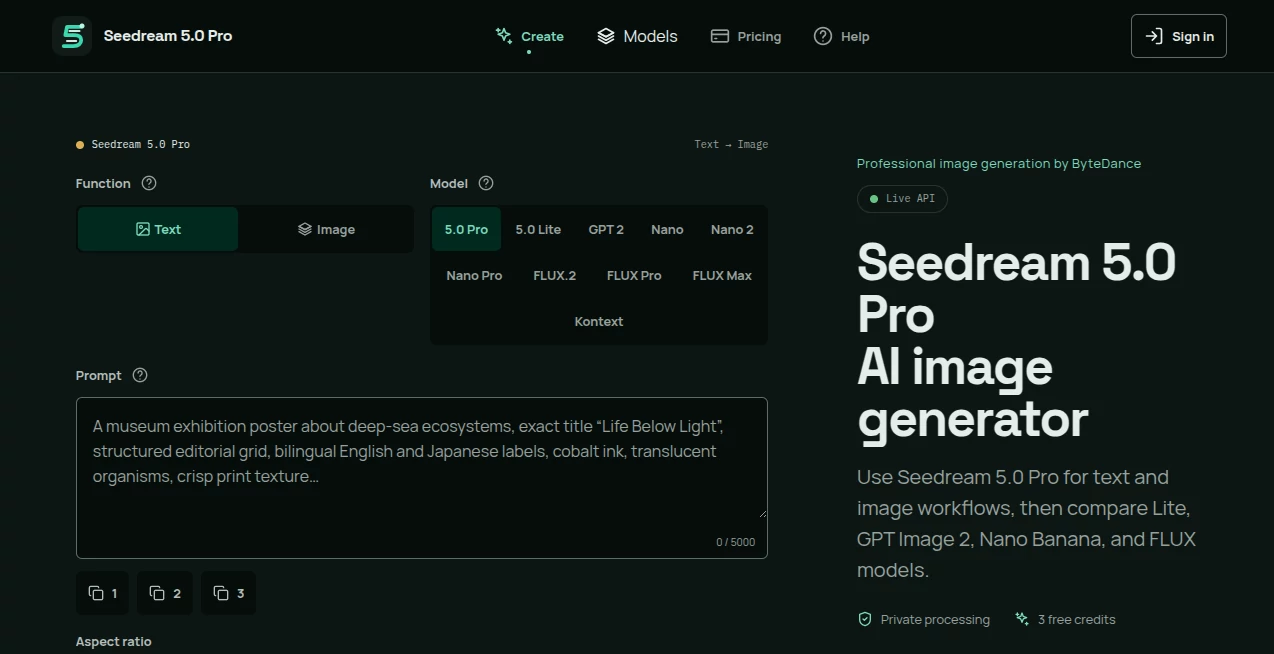
The interface is clean and beginner-friendly. Everything happens inside the browser, so there is no software installation or GPU setup required. Users simply enter a prompt, select an aspect ratio and resolution, upload optional reference images, and generate artwork in just a few clicks. Previous generations remain accessible, making it easy to revisit ideas or refine earlier results.
Accuracy & Performance
The platform delivers impressive prompt understanding and produces visually coherent images with excellent composition. It performs especially well when generating detailed product shots, realistic portraits, structured infographics, promotional posters, and commercial-style artwork. Image generation is fast, while higher resolutions maintain strong detail and sharpness suitable for professional use.
Capabilities
Beyond standard text-to-image generation, the platform supports image references, precise editing workflows, multiple aspect ratios, high-density visual layouts, multilingual text rendering, and production-ready graphics. Users can create social media assets, advertising creatives, educational illustrations, presentations, thumbnails, marketing visuals, branding concepts, and artistic experiments from a single workspace.
Security & Privacy
The service operates through an online workspace where generated images and prompt history remain connected to the user's account. This approach makes project management more convenient while allowing creators to revisit previous generations and continue refining their work without starting over.
Use Cases
Creative professionals can rapidly design advertising campaigns without hiring photographers or illustrators for every concept. Marketing teams can generate product mockups, promotional banners, and social media visuals within minutes. Educators benefit from creating visually rich infographics that explain complex topics more clearly. Content creators can produce YouTube thumbnails, blog illustrations, and presentation graphics with minimal effort. Designers can also experiment with multiple visual directions before investing time in traditional editing software.
Pros and Cons
Pros
Excellent image quality with realistic lighting and textures.
Strong prompt understanding for complex visual compositions.
High-quality typography and structured infographic generation.
Supports reference images for greater creative control.
Browser-based workflow with no hardware requirements.
Multiple aspect ratios and high-resolution output options.
Cons
Advanced generations consume credits more quickly.
Some premium capabilities require a paid subscription.
Large commercial projects may require several prompt refinements to achieve the desired result.
Pricing Plans
The platform offers limited free credits that allow new users to explore its capabilities before upgrading. Paid plans provide additional generation credits, higher usage limits, and access to larger creative workloads. Pricing is designed to accommodate individual creators as well as businesses with ongoing production needs.
How to Use Seedream 5 Pro
Open the online workspace and write a detailed description of the image you want to create. Select the preferred aspect ratio and output resolution, then optionally upload reference images to guide the composition or style. Generate the artwork, review the result, refine the prompt if necessary, and download the finished image for commercial or personal projects.
Comparison with Similar Tools
Compared with many AI image generators, this platform focuses heavily on production-ready quality rather than simple artistic experimentation. It stands out with stronger typography, improved layout consistency, realistic product rendering, detailed lighting, and support for dense visual information such as posters and infographics. While competitors often excel at artistic illustrations, this solution provides a balanced workflow suitable for marketing, education, design, and commercial content creation.
Conclusion
For anyone seeking a reliable AI image generator capable of producing professional visuals from simple prompts, this platform offers an impressive balance of speed, quality, and creative flexibility. Its polished interface, realistic rendering, excellent text generation, and support for advanced editing workflows make it valuable for designers, marketers, educators, entrepreneurs, and digital creators alike. Whether creating a single social media graphic or an entire visual campaign, it significantly reduces production time while maintaining high visual standards.
Frequently Asked Questions (FAQ)
Can I create images from text prompts?
Yes. Simply describe your idea in natural language, choose your preferred settings, and generate an image within seconds.
Does it support reference images?
Yes. Users can upload one or more reference images to guide style, composition, or specific visual elements.
Is high-resolution output available?
Yes. Multiple output resolutions are supported, making the generated images suitable for professional design work.
Can beginners use the platform?
Absolutely. The browser-based interface is simple enough for first-time users while still offering advanced features for experienced creators.
Who benefits the most from this platform?
Marketing professionals, designers, content creators, educators, agencies, and businesses that frequently need high-quality visual assets will gain the greatest value.
AI Text to Image , AI Photo & Image Generator , AI Poster Generator , AI Design Generator .
These classifications represent its core capabilities and areas of application. For related tools, explore the linked categories above.
Seedream 5.0 Pro details
Pricing
- Free
Apps
- Web Tools
Categories

Seedream 5.0 Pro Alternatives Product

Berrioo

Seedream Ima…

Nano Banana 2

Artguru
Claude Desig…

Nano Image AI
image2ai.art

NB2 Hub
GPT Image 2