


















Trilo 3D
What is Trilo 3D?
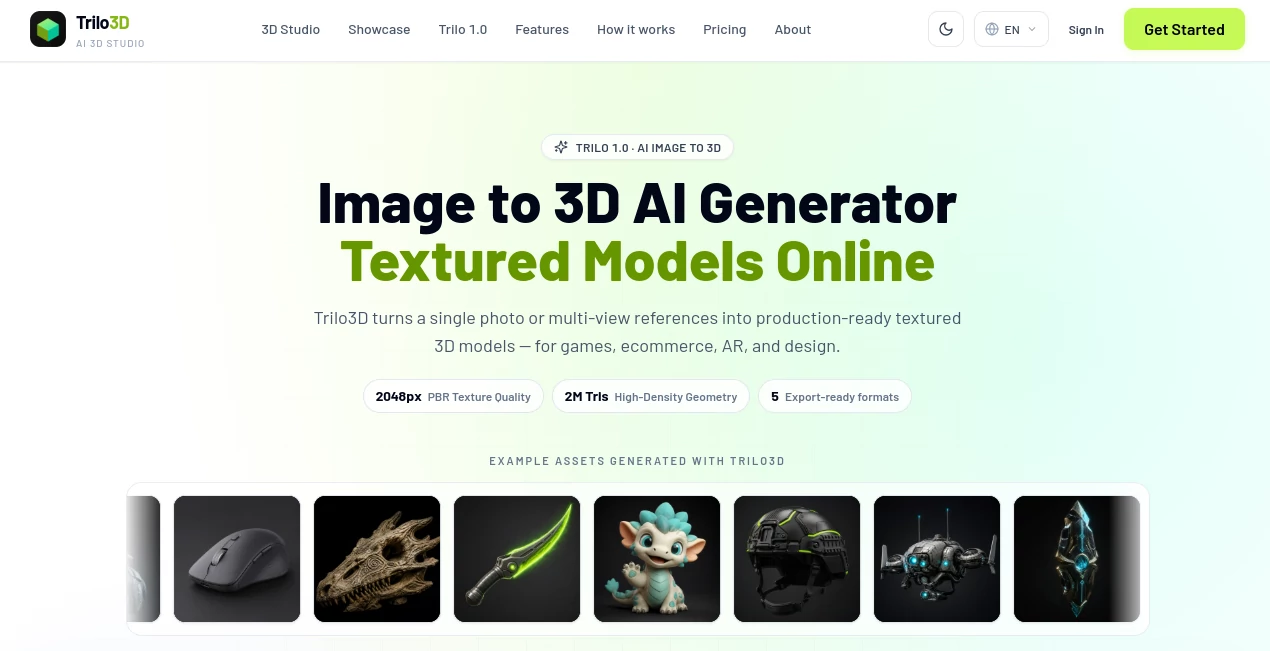
Trilo3D is an AI-powered 3D creation studio designed to turn ordinary images into textured, production-ready 3D assets. Instead of starting from scratch inside a traditional 3D modeling application, users can upload a product photo, concept render, character image, or several reference views and let the system reconstruct the object in three dimensions.
The workflow is particularly appealing for creators who need usable 3D assets quickly. A single image can be enough to get started, while additional front, side, and back references can help improve the reconstruction when the original subject has complex geometry. The resulting models can be exported for games, ecommerce, AR experiences, design projects, VFX, and 3D printing.
Key Features
- Single-image to 3D model generation
- Multi-view reconstruction using multiple reference images
- Textured 3D mesh generation
- Optional PBR albedo, normal, roughness, and metallic maps
- High-density geometry with support for up to 2 million triangles
- 2048-quality generation and a higher-density Master option
- Export support for GLB, FBX, OBJ, USDZ, and STL
- Browser-based 3D preview before downloading the finished asset
- Credit-based generation with the cost displayed before a run
User Interface
The interface keeps the process focused on the actual 3D task. Users upload a PNG, JPG, or WebP image, select the desired quality and export format, decide whether textures or PBR materials are required, and start the generation.
A live browser preview makes the workflow more practical because creators can inspect the generated asset before moving it into another application. For someone who normally works between image editing software and a desktop 3D package, having the first modeling stage handled in the browser can save a considerable amount of setup time.
Accuracy & Performance
The quality of an image-to-3D result naturally depends on the reference material, but the multi-view workflow gives users more control when a single photograph cannot communicate enough depth. Up to four views can be supplied, with the front view required, helping the system create more consistent geometry and texture coverage.
The platform offers 2048-quality generation as well as a 2048 Master option for users who need higher-density output. Generation costs are also shown in credits before processing, which is useful for teams testing several variations and trying to keep production costs predictable.
Capabilities
The strongest part of the workflow is the combination of geometry and surface information. Users can generate a textured mesh and, on supported plans, add PBR maps for albedo, normal, roughness, and metallic properties.
The export options make the results useful beyond the browser. GLB is a convenient choice for lightweight web and AR workflows, while FBX and OBJ can fit established 3D pipelines. USDZ is useful for compatible AR experiences, and STL provides a practical route toward 3D printing experiments.
The flexibility also makes the platform suitable for very different subjects, from ecommerce products and industrial objects to game props, stylized characters, creatures, and concept designs.
Security & Privacy
Because the service works with uploaded visual references, users should consider the sensitivity and ownership of the images they submit. Businesses working with confidential product designs, unreleased concepts, or proprietary assets should review the service's privacy and terms documentation before uploading sensitive material.
For commercial production, plan selection also matters. Commercial usage rights are included with the paid Pro and Max plans, while the free tier is intended for trying the workflow rather than providing the same commercial licensing terms.
Use Cases
Ecommerce: Product photographs can be transformed into 3D assets for interactive product displays, online experiences, and AR-oriented presentations.
Game development: Concept art and reference images can provide a starting point for props, characters, creatures, and environmental assets.
VFX and virtual production: Teams can use generated meshes as starting assets for visual development, scene preparation, and experimentation.
Industrial design: Multiple views can be useful when reconstructing hard-surface objects where depth and side geometry are important.
3D printing: STL export gives creators a straightforward way to move suitable generated models toward printing workflows, although individual models may still require cleanup before fabrication.
AR and web experiences: Lightweight 3D formats such as GLB and compatible AR formats make the generated assets easier to incorporate into interactive experiences.
Pros and Cons
- Pros: Fast image-to-3D workflow, multi-view reconstruction, textured meshes, PBR material maps on higher plans, several professional export formats, browser-based preview, and transparent credit costs.
- Pros: The workflow is accessible to people who do not want to begin every project inside a full desktop 3D application.
- Cons: Results still depend heavily on the quality and coverage of the reference images.
- Cons: More advanced PBR features and commercial rights require a paid plan.
- Cons: High-density generation can consume substantially more credits than standard-quality generation.
Pricing Plans
A free option provides starter credits and daily check-in credits without requiring a payment card. Generated assets on the free plan are stored for 15 days, and the free tier does not include the commercial licensing and long-term storage benefits available with paid subscriptions.
The Basic plan costs $10 per month, or $8 per month when billed yearly, and includes 1,000 credits with single-image and multi-view generation and the full set of five export formats.
The Pro plan costs $20 per month, or $16 per month when billed yearly, and provides 2,000 credits. It adds PBR maps, commercial usage rights, cloud generation history, and support for additional reference views.
The Max plan costs $50 per month, or $40 per month when billed yearly, and includes 5,000 credits plus 2048 Master high-density generation and the other Pro features.
For occasional users, pay-as-you-go credits are also available and do not expire until used. Generation costs vary according to quality and material settings, with 2048 Quality starting at 396 credits for geometry-only output and reaching 462 credits with PBR materials.
How to Use It
Start with a clear reference image of the object you want to reconstruct. A well-lit product photograph, concept render, or character image usually provides a better starting point than a heavily obscured or low-resolution picture.
Upload the image in the browser studio, then choose the desired generation quality and export format. If surface detail matters, enable textures or PBR materials. For objects where one angle does not provide enough information, add additional front, side, and back references.
After starting the generation, review the result in the browser preview. Once the model meets your needs, download it in the format that matches your workflow and continue editing or integrating it in your preferred 3D environment.
Comparison with Similar Tools
Many AI 3D generators focus primarily on producing a mesh from an image, but this workflow puts additional emphasis on textured output, multiple reference views, PBR maps, and practical export formats. That makes it particularly interesting for users who need something closer to a working asset rather than simply a visual 3D experiment.
It also occupies a useful middle ground between traditional 3D modeling and fully automated generation. Beginners can avoid a large part of the initial modeling process, while experienced artists can treat the generated result as a starting point for refinement in Blender, Unity, Unreal Engine, or another production environment.
Conclusion
For creators who frequently need to turn images into usable 3D assets, this browser-based approach is a compelling shortcut. The combination of single-image generation, multi-view reconstruction, textured meshes, PBR materials, high-density geometry, and multiple export formats gives it practical value beyond simple demonstrations.
Its biggest advantage is the straightforward workflow: provide a visual reference, choose the desired level of detail, generate the asset, inspect it, and move it into the next stage of production. For ecommerce teams, game developers, designers, VFX artists, and independent creators, that can make early 3D asset creation considerably less time-consuming.
Frequently Asked Questions (FAQ)
What can I create from an image?
You can generate textured 3D assets from product photographs, concept art, character references, and other suitable visual inputs. The resulting assets can be used across several creative and commercial workflows.
Can I use multiple images?
Yes. The multi-view workflow accepts up to four reference views, with a front view required. Additional views can help improve geometry and texture consistency.
Which file formats are supported?
The available export formats include GLB, FBX, OBJ, USDZ, and STL.
Does it support PBR materials?
Yes. Supported paid plans can generate PBR maps including albedo, normal, roughness, and metallic maps.
Can generated models be used commercially?
Commercial usage rights are included with the paid Pro and Max plans. Users should select a plan whose licensing terms match their intended use.
How much does a generation cost?
The credit cost depends on the selected quality and material options. A 2048 Quality generation uses 396 credits for geometry only, 440 credits with textures, or 462 credits with PBR materials. The higher 2048 Master option uses substantially more credits.
Do pay-as-you-go credits expire?
No. Pay-as-you-go credits remain available until they are used.
AI 3D Model Generator , AI Text to 3D , AI Image to 3D Model , 3D .
These classifications represent its core capabilities and areas of application. For related tools, explore the linked categories above.
Trilo 3D details
Pricing
- Subscription
Apps
- Web App
Categories

Trilo 3D Alternatives Product

PNG to 3D

Seed3D 2.0

ImageToSTL

imagetostl

Project Geni…
text to 3d w…

Modelfy 3D
AI 3D World
volume shader